
How to protect a PDF with an opening password
Open an unlocked PDF you are authorized to protect. Keep an unencrypted original in a safe place if you need a recovery route. Reopen the download in a modern PDF viewer and confirm that it asks for the password.
 View full size
Lock PDF encrypts a PDF so a reader needs a password to open it. Choose a password you can keep safely, because the site cannot recover it for you later.
1. Open your file
Open an unlocked PDF you are authorized to protect. Keep an unencrypted original in a safe place if you need a recovery route.
2. Work through the settings
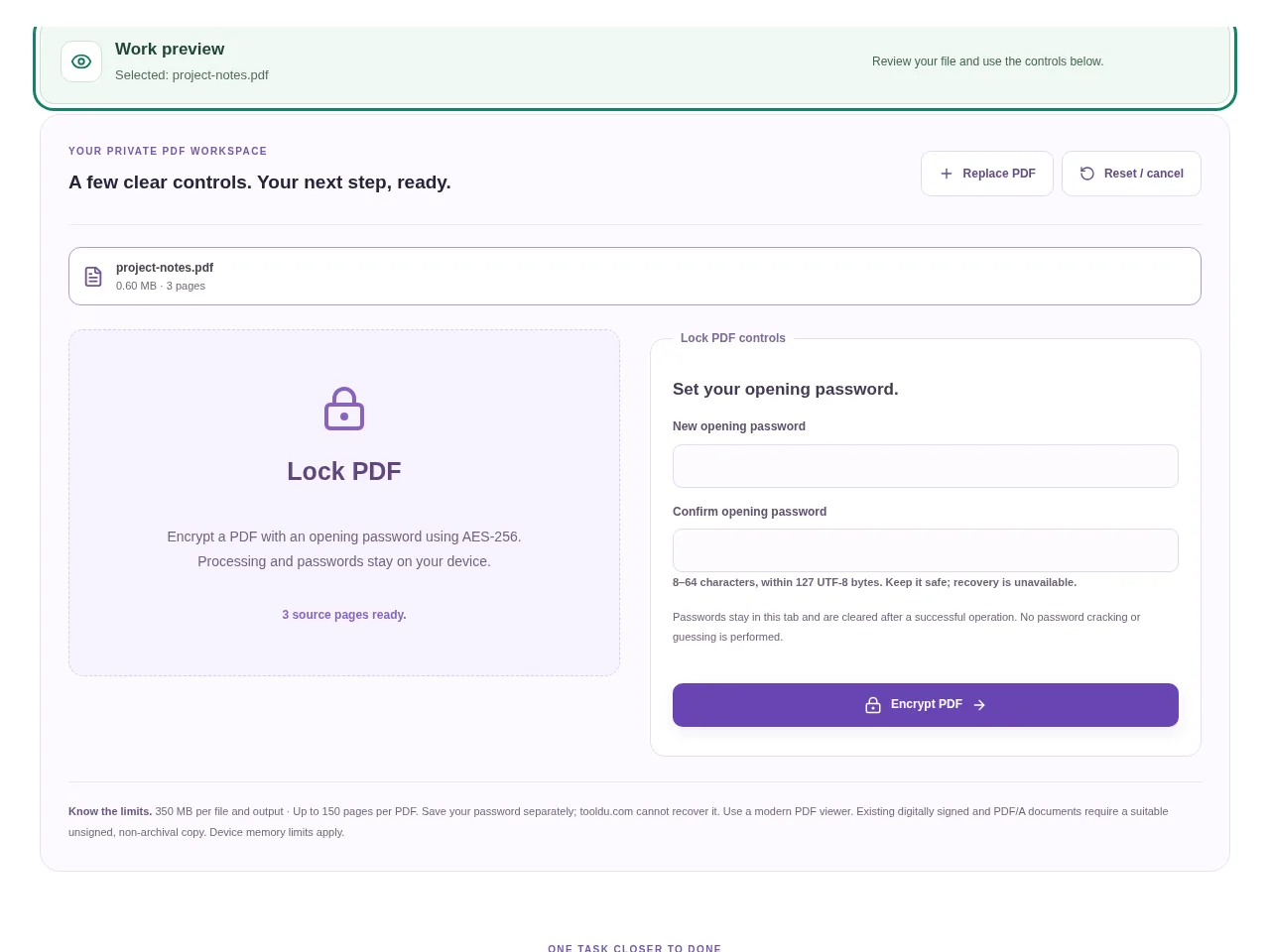
- Enter an opening password and confirm it. The tool accepts 8–64 characters within its UTF-8 byte limit.
- Use a strong, unique password rather than a name or a short number.
- Choose Encrypt PDF and wait for the new encrypted copy.
- Reopen the download in a modern PDF viewer and confirm that it asks for the password.
 View full size
3. Check before you share
- Test the password before deleting or moving the original.
- Store the password separately from the file.
- Check that the intended recipient’s PDF viewer supports the encrypted document.
File limits and first-use notes
The file budget is 350 MB, with up to 150 pages per source PDF. Save your password separately; tooldu.com cannot recover it. Use a modern PDF viewer. Existing digitally signed and PDF/A documents require a suitable unsigned, non-archival copy.
Questions you may have
Will Tooldu send me a password reset for the file?
No. The PDF password is processed locally and cannot be recovered by the site.
Is the password the same as my Tooldu login?
No. It is a separate password for the downloaded PDF. Do not reuse your account password.


