How to mirror pages in a PDF
Add your PDFs and open the file you want to work on. Look at the original page before choosing a reflection. Create the mirrored copies and download the files or ZIP.
 View full size
A reflection is useful for some print, transfer and design jobs. Flip PDF mirrors page content rather than simply turning a sideways page upright. Ordinary writing will look reversed, so choose this tool only when that is what you need.
1. Open your file
Add your PDFs and open the file you want to work on. Look at the original page before choosing a reflection.
2. Work through the settings
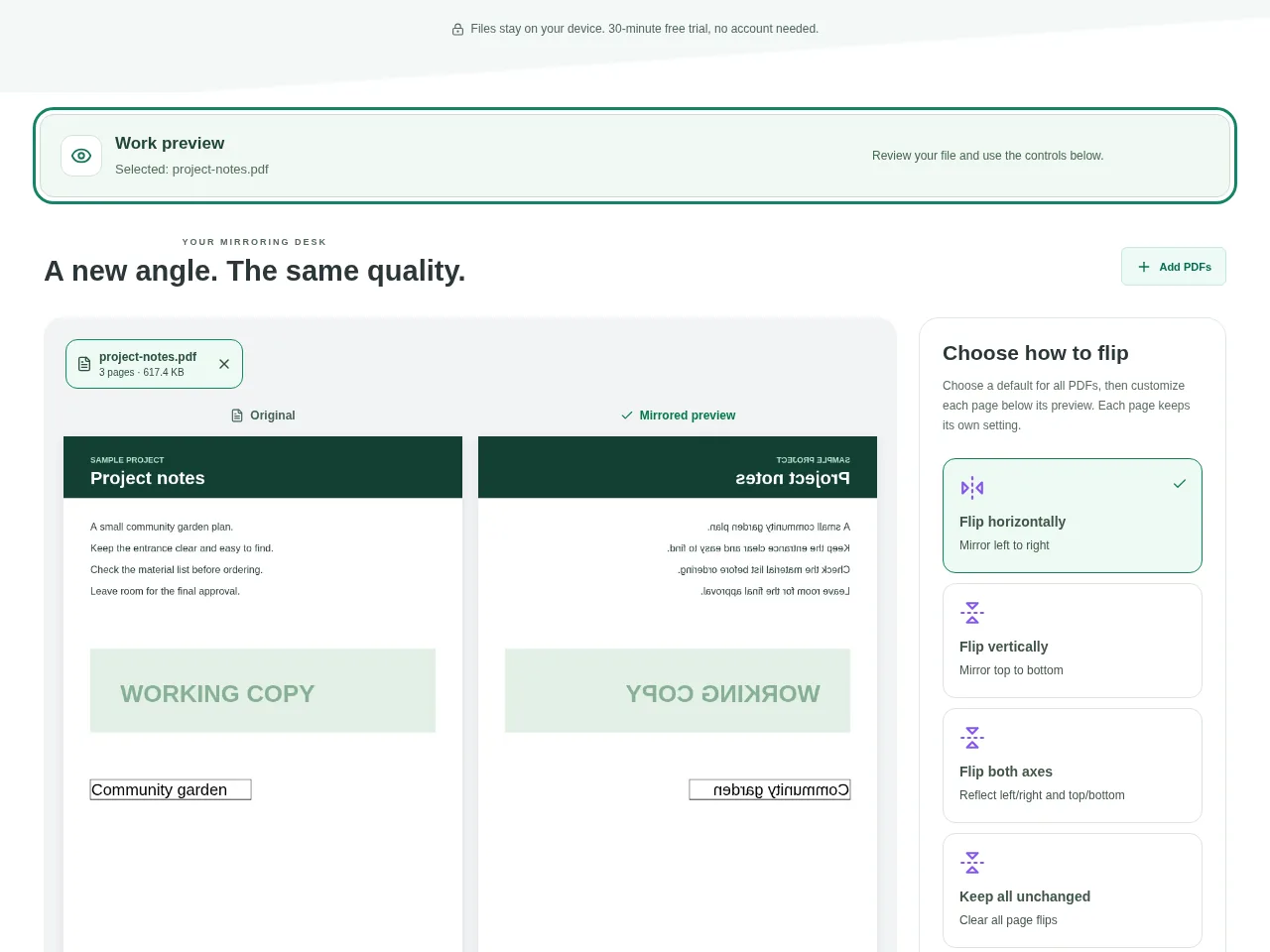
- Choose Horizontal for a left-to-right mirror, Vertical for an upside-down reflection, or both axes when the job needs it.
- Use the individual page choices if only some pages should be reflected.
- Inspect the original and mirrored comparison. Check which edge of the design is now on each side.
- Create the mirrored copies and download the files or ZIP.
 View full size
3. Check before you share
- Read a label or logo to confirm the intended reflection.
- Check pages that should have stayed unchanged.
- Test a small print first if the file is for a transfer or specialist print process.
File limits and first-use notes
350 MB per file / combined. 10 PDFs. 150 pages each. Forms become fixed content if any page is flipped.
Questions you may have
Should I use Flip or Rotate for a sideways scan?
Use Rotate PDF. A sideways page normally needs a turn, not reversed writing.
Can different pages use different reflections?
Yes. Use each page’s choices and inspect the preview rather than applying one reflection to the whole document by habit.