How to edit a Word document online
Open Word Editor and choose Upload Word document. A DOCX file keeps its original document parts. If you have an older DOC file, readable text opens in a new layout instead. You can also choose Start a blank document. Choose Download DOCX and open your saved copy before sending it. Keep the original document until you have checked the result.
 View full size
You may only need to correct a name, rewrite a paragraph or replace an old picture. Word Editor opens your document as a page you can work on, so you can make those changes without rebuilding the whole file.
1. Open your file
Open Word Editor and choose Upload Word document. A DOCX file keeps its original document parts. If you have an older DOC file, readable text opens in a new layout instead. You can also choose Start a blank document.
2. Work through the settings
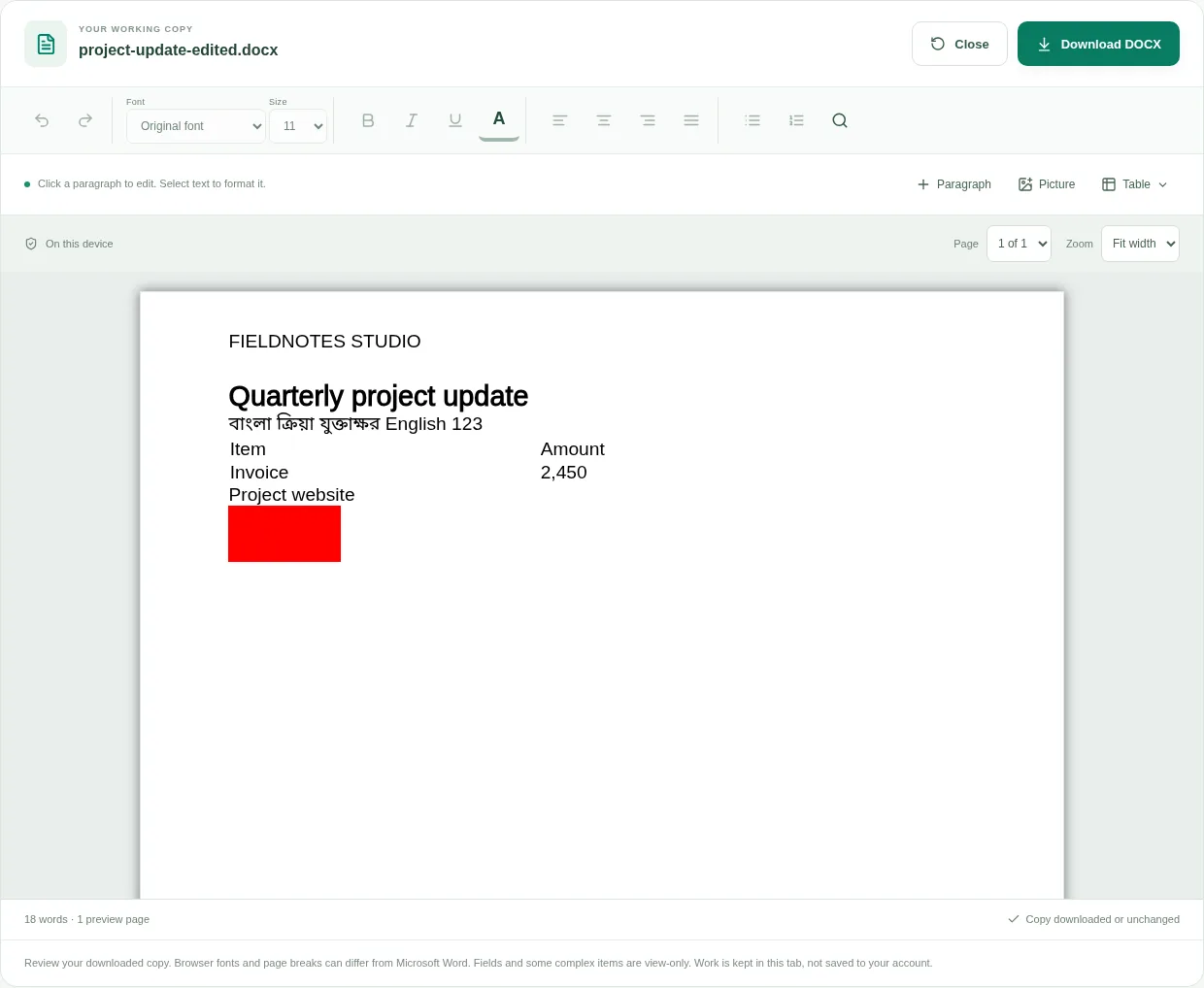
- Click a paragraph in the page view and type your changes. Press Enter to start another paragraph. Use the page and zoom menus when you need a closer look.
- Select some text, then choose a font, size, color or emphasis. With no text selected, formatting applies to the paragraph you clicked. Use the alignment or list buttons to change that paragraph.
- Use Picture to add a PNG, JPG or WebP file. Click a supported existing picture to replace it or change its width. A replacement affects that drawing rather than every use of the old picture.
- Use Table to choose rows and columns, then type in its cells. Find and replace helps with repeated wording; the search is case-sensitive. Undo and Redo are there if a change is not right.
- Choose Download DOCX and open your saved copy before sending it. Keep the original document until you have checked the result.
 View full size
3. Check before you share
- Read names, dates and amounts, including text inside tables.
- Check pictures, headings, headers and footers. Browser fonts and page breaks can differ from your desktop editor.
- Download before closing the tab. Temporary work is not stored in your account or automatically recovered later.
File limits and first-use notes
350 MB input; 80 MB expanded DOCX; 5,000 paragraphs, 250,000 characters and 50 preview pages. Legacy DOC imports text into a new layout. Fields, tracked changes and complex items can be view-only; browser fonts and pagination may differ. No account storage.
Questions you may have
Will my uploaded document be changed?
No. The download is a new DOCX copy. The original file on your device is not overwritten.
Can I keep working after closing the tab?
Download first, then upload that saved DOCX when you come back. This editor does not automatically save a draft to your account.