
How to make a PDF smaller with Tooldu
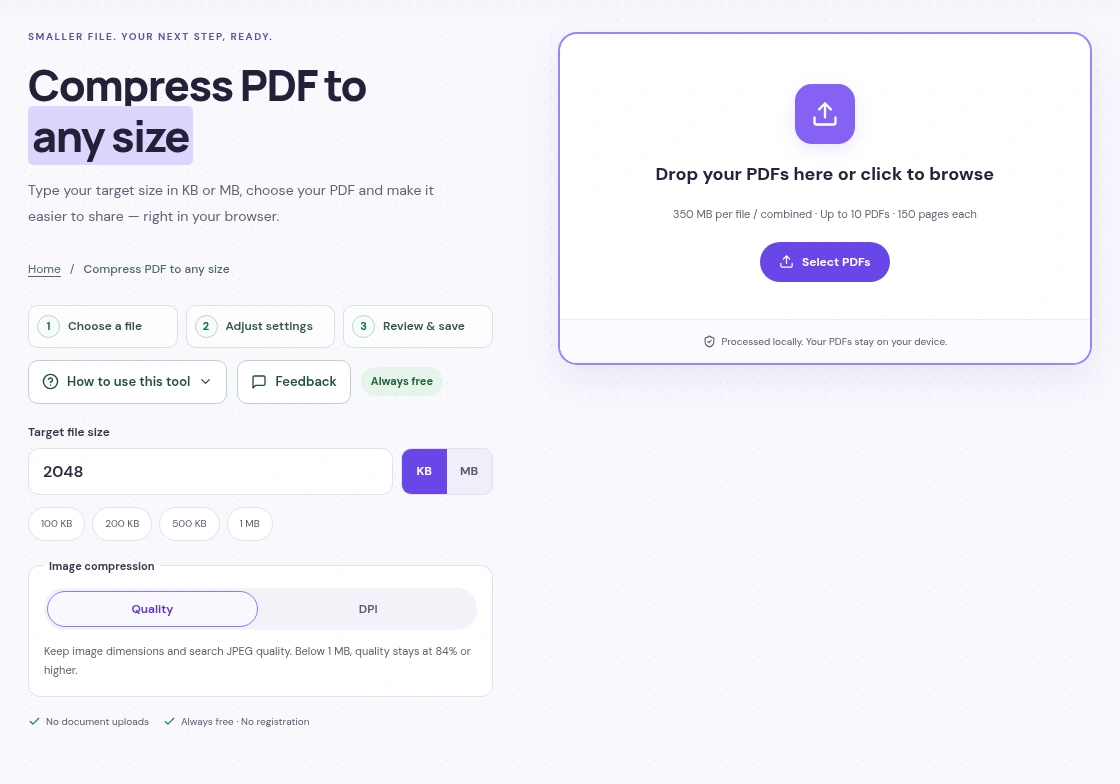
Add your PDF to Compress PDF, choose a size limit or quality setting and press Start Compressing. Check the pages in the result, then download the smaller file.
 View full size
A PDF that is too large can hold up an email or an online application. Before changing anything, save a copy of the original and check the upload limit on the website you are using.
1. Add your PDF
Open Compress PDF and press Select PDFs in the upload box. Choose the file from your device. You can also drag it into that box on a computer.
Once the file opens, the workspace shows a page preview. For a PDF with several pages, use the arrows above the preview to look through them.
2. Choose how to make it smaller
Use Target size if a form gives you a limit, such as 500 KB or 2 MB. Enter the limit and check that you have chosen KB or MB correctly. The tool will try to fit it while protecting readability.
If you just want a smaller copy, choose By quality. Start with Strong · recommended. Basic keeps more image detail; Extreme reduces it further. A PDF made mostly of text may not shrink as much as one full of large scans or photos.
3. Press Start Compressing
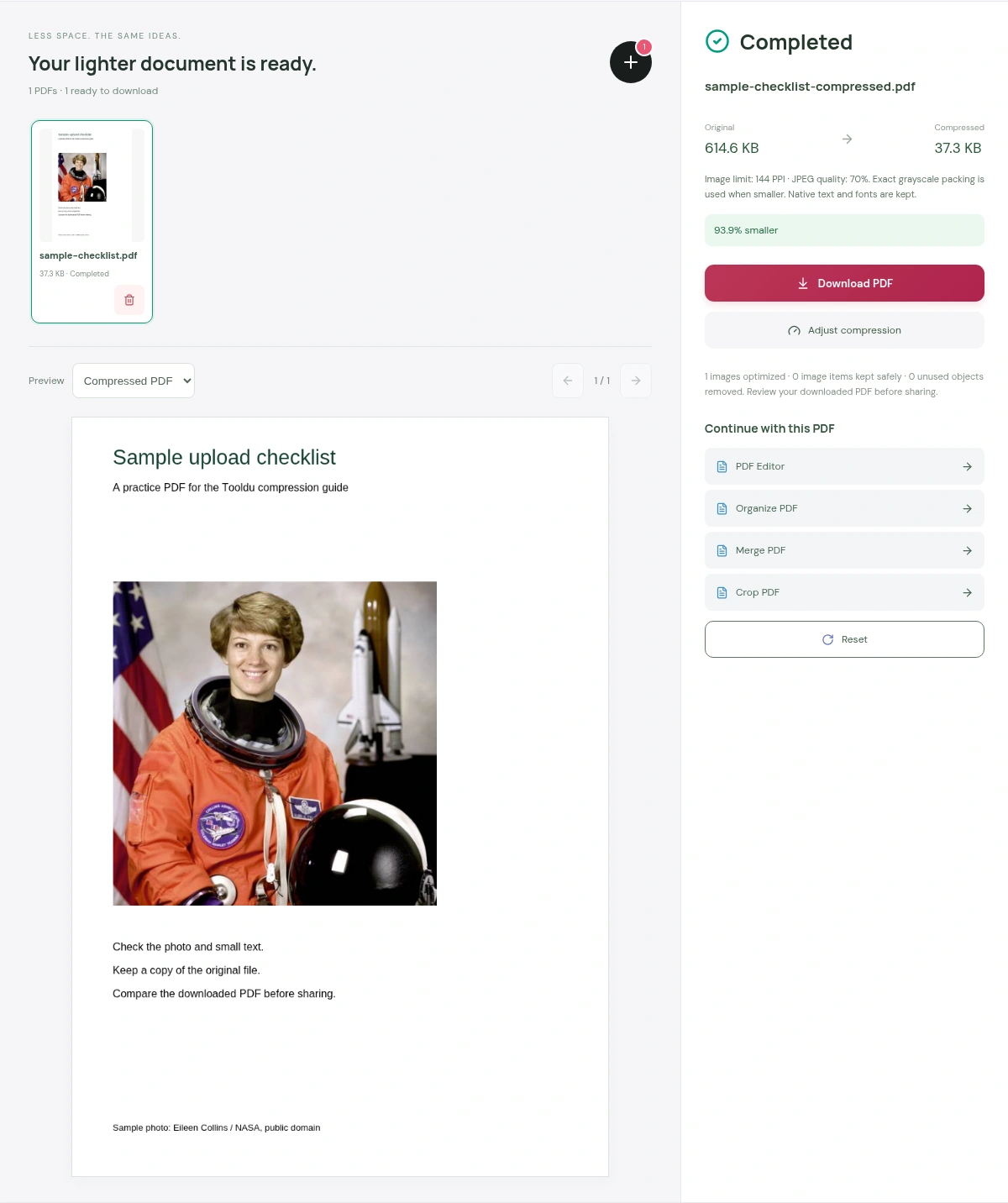
Keep the page open while it works. When processing finishes, the panel shows the original size and the new size. The picture below shows a completed practice file, with its page preview on the left and the download on the right.
 View full size
4. Read the result before sending it
Press Download PDF, then open the saved copy. Check more than the first page. Look at small writing, table lines, stamps and any photographs. Confirm that the page count and orientation are right.
If the pages are hard to read, use Adjust compression and try a gentler setting. If a size target cannot be reached, the tool may offer Download best readable PDF. That file can still be above your limit, so read the actual size before uploading it elsewhere.
Before you use an important document
- Keep the signed original. Recompressing a digitally signed PDF can invalidate its signature.
- Compression makes a file smaller; it does not make scanned writing editable. OCR is a separate step.
- Compression does not securely erase private information. Covering text with a white box is not reliable redaction.
Compress PDF is free without registration or a session time limit. Your document is processed in your browser. A large scan can take longer on a phone; if it struggles, try fewer files at once.
Questions you may have
Which compression setting should I try first?
Use Target size when you have a specific upload limit. Otherwise, try By quality with Strong · recommended, then check the downloaded pages.
Why did my PDF barely get smaller?
It may already be compressed, or it may contain mostly text and simple graphics. A PDF with large photos or scans usually has more room to shrink.
Will my scanned PDF become editable?
No. Compression changes file size. You need a separate OCR or editing step to work with scanned writing.


